Kahoot! made the live quiz famous: a question on the big screen, four colored answers, a timer, and a room full of people tapping their phones. But if you have tried to host one lately, you have probably hit a wall. The host needs an account, the free plan has limits on how many people can play and which question types you can use, and the best parts sit behind a subscription. That is why "Kahoot alternative" is one of the most searched phrases among teachers, trainers and anyone who runs a quiz night. This guide shows you what a good free alternative looks like, walks you through hosting one in about a minute, and compares the other tools people switch to.
Quick answer: The simplest free Kahoot alternative with no sign-up is PickWhim Quiz. You write the questions (or pick a ready-made quiz), show a six-digit code on the big screen, and players join on their phones with a nickname. It has timers, points for speed, a live leaderboard, teams, knockout rounds and a podium, and neither the host nor the players need an account. Other popular alternatives, such as Wayground (formerly Quizizz), Blooket, Gimkit and Baamboozle, are covered further down.
Why people look for a Kahoot alternative
Kahoot! is a good product, and this is not a hit piece. But the reasons people search for something else are consistent, and it helps to name them before you pick a replacement.
- Sign-up friction. The host needs an account before they can do anything. For a one-off quiz at a party, a staff meeting or a substitute lesson, that is a real hurdle.
- Player limits on the free plan. The number of people who can join a free game has changed several times, and larger groups usually need a paid plan.
- Locked question types. Typed answers, polls, sliders and puzzles are often reserved for paid tiers, so a free quiz tends to be "four options, pick one" over and over.
- Branding and ads for the host. Your logo, your colors and a clean screen are premium features.
- Price creep. Plans for schools, businesses and "Kahoot at home" are priced separately, and the free tier keeps getting thinner.
None of these matter if your school or company pays for a license. If you are hosting on your own, they matter a lot. The good news is that the core experience, a live quiz where everyone plays on their phone, is now available for free, without an account, from several tools.
What to look for in a free Kahoot alternative
Before comparing tools, agree on what "free" should mean. A free quiz tool is only useful if it can do the actual job in a real room. Here is the checklist we would use.
- No sign-up for players. Nobody should have to install an app or create a login to answer a question. A code and a nickname is enough.
- Ideally no sign-up for the host either. If you cannot host without an account, you are back to the first problem.
- Enough players. A class is 25 to 35 people. A company all-hands can be 150. A stream can be more. Check the cap.
- More than one question type. Multiple choice is the backbone, but true or false, typed answers and polls keep a 20-minute game from getting dull.
- Timers and points for speed. This is what makes a live quiz feel like a game show instead of a test.
- A leaderboard and a finish. People play for the podium. A tool that just shows a score at the end misses the point.
- A way to reuse your work. Import from a spreadsheet, save quizzes, download them as a file.
- Works on a projector and on phones. The host screen must be readable from the back of the room, and the player screen must be thumb-friendly.
PickWhim Quiz: a free Kahoot alternative with no sign-up
PickWhim Quiz was built around that checklist. It is a live quiz game that runs in the browser, is free to host and play, shows ads to pay for itself, and never asks anyone to create an account. Here is what it looks like in practice.
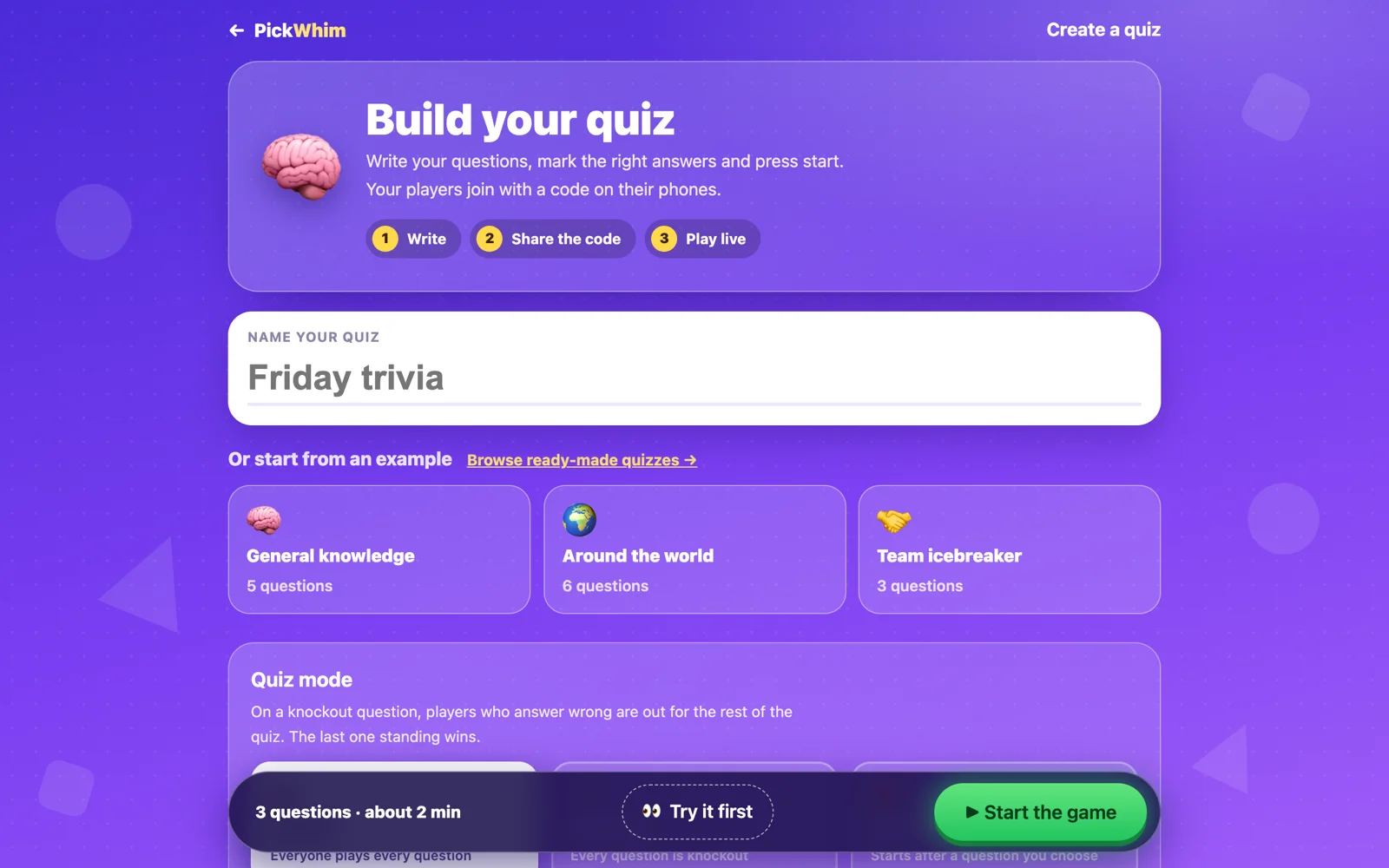
1. Build the quiz, or start from a ready-made one
Open the quiz builder, give your quiz a name and add questions. Each question can be multiple choice (with one or several right answers), true or false, a typed answer, a poll with no right answer, or a number slider where the closest guess scores the most. You set a timer of 10 to 90 seconds per question. If your questions already live in a spreadsheet, use Import to paste the rows or upload a CSV file.
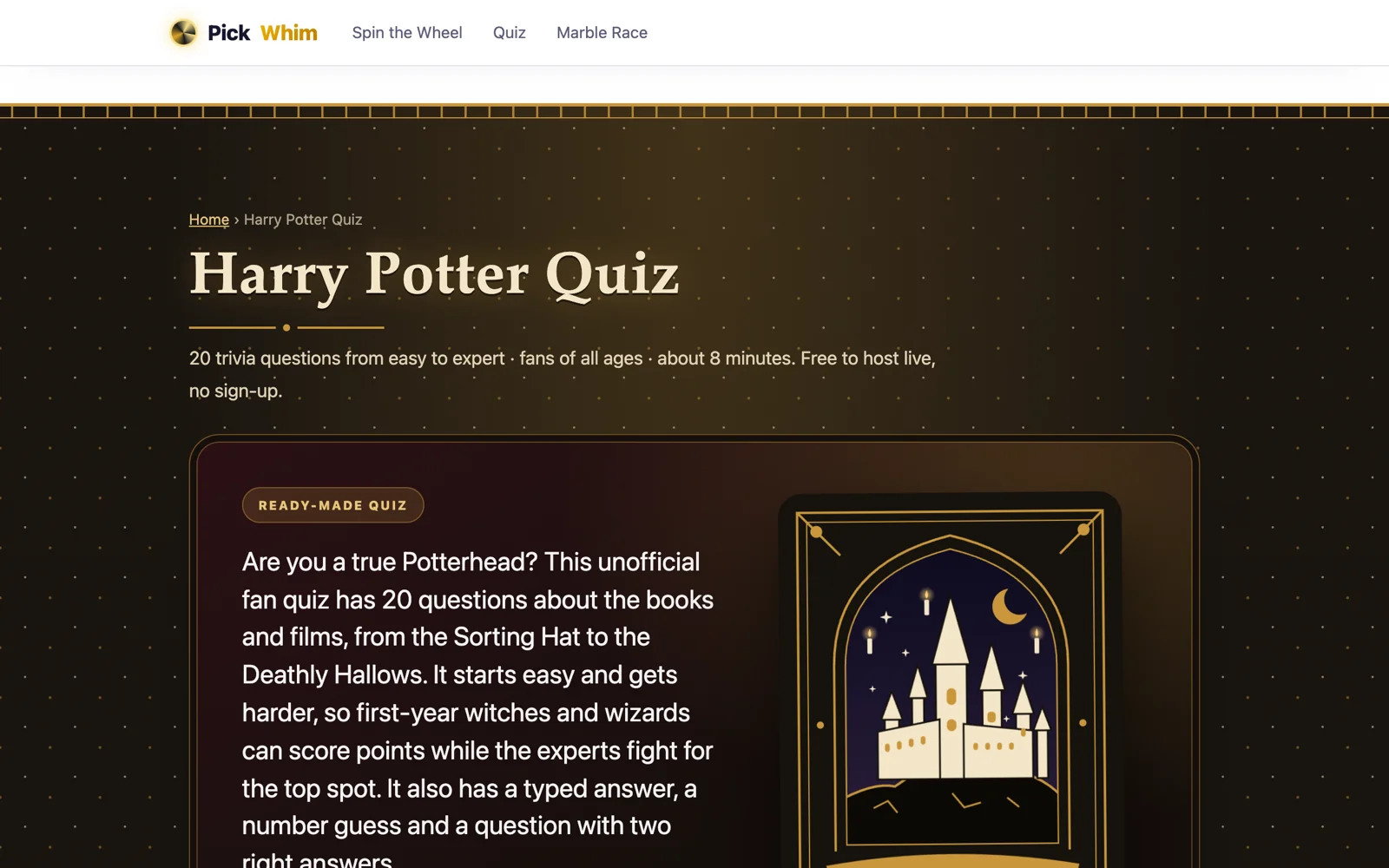
Short on time? Pick one of the ready-made quizzes and change anything you like. For this walkthrough we used our Harry Potter Quiz, 20 questions from easy to hard, which comes with its own castle-at-night theme.
2. Show the code, let players join
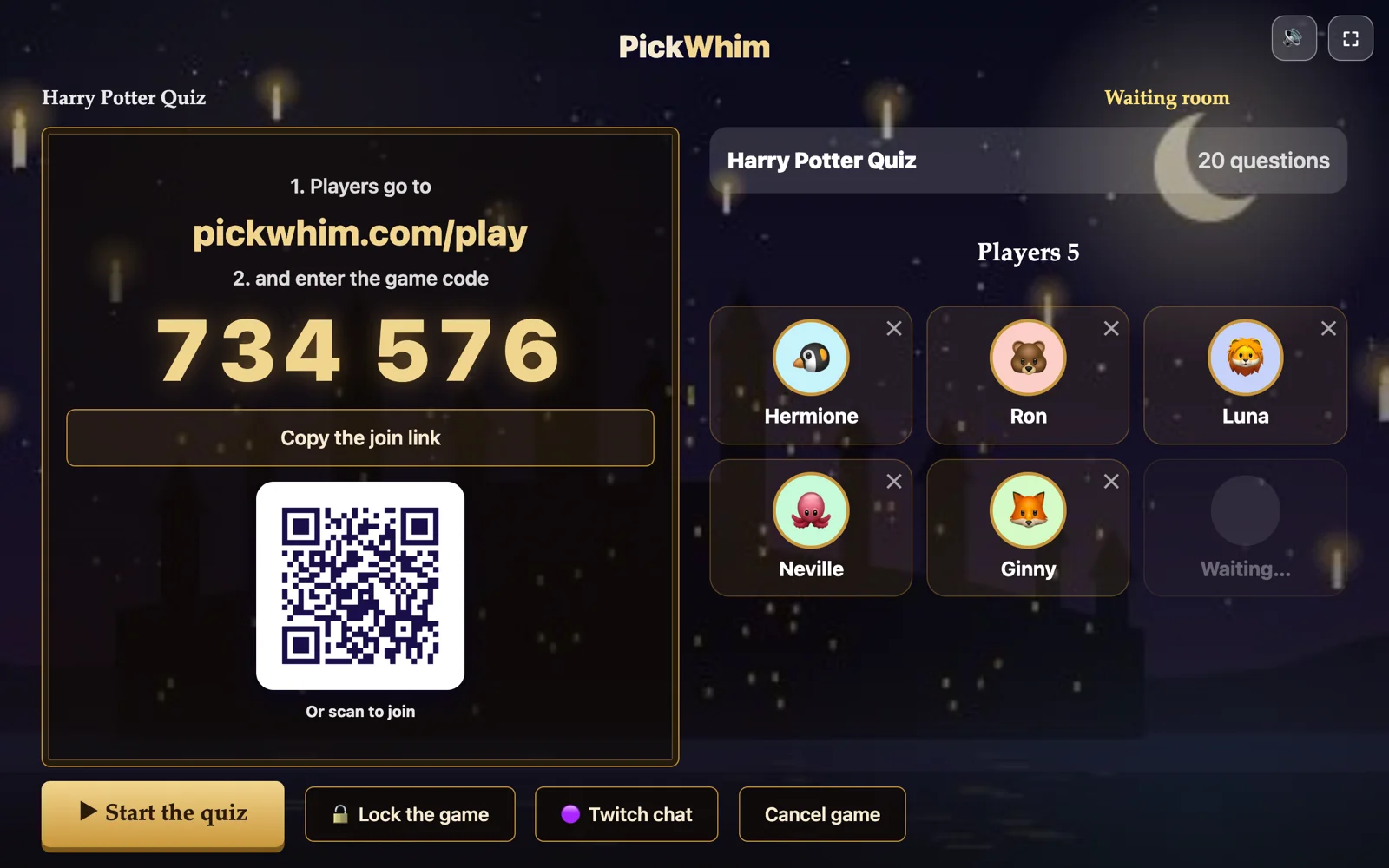
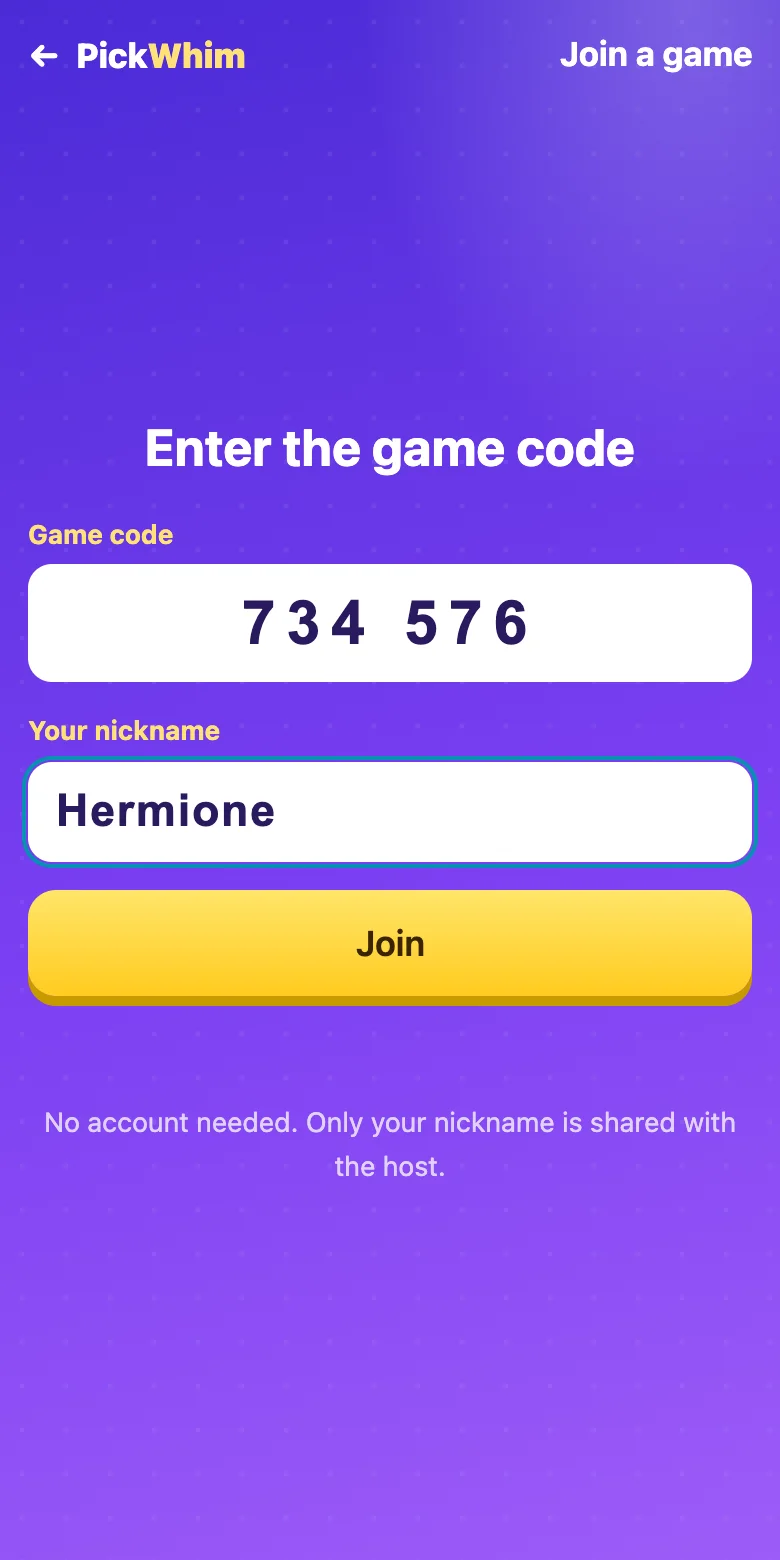
Press Start the game and the host screen switches to the lobby. It shows a six-digit code, a QR code and the address players type in: pickwhim.com/play. Players open it on any phone, tablet or laptop, enter the code, choose a nickname and appear in the lobby with a random animal avatar. Up to 300 players can join one game. If someone picks a nickname you do not like, remove them with one click, and lock the game when everyone is in.
Press the fullscreen button in the top right corner and the lobby fills the projector or TV. There is no sidebar, no menu and no ad on the host screen while the game is running, so the room only sees the quiz.
3. Play
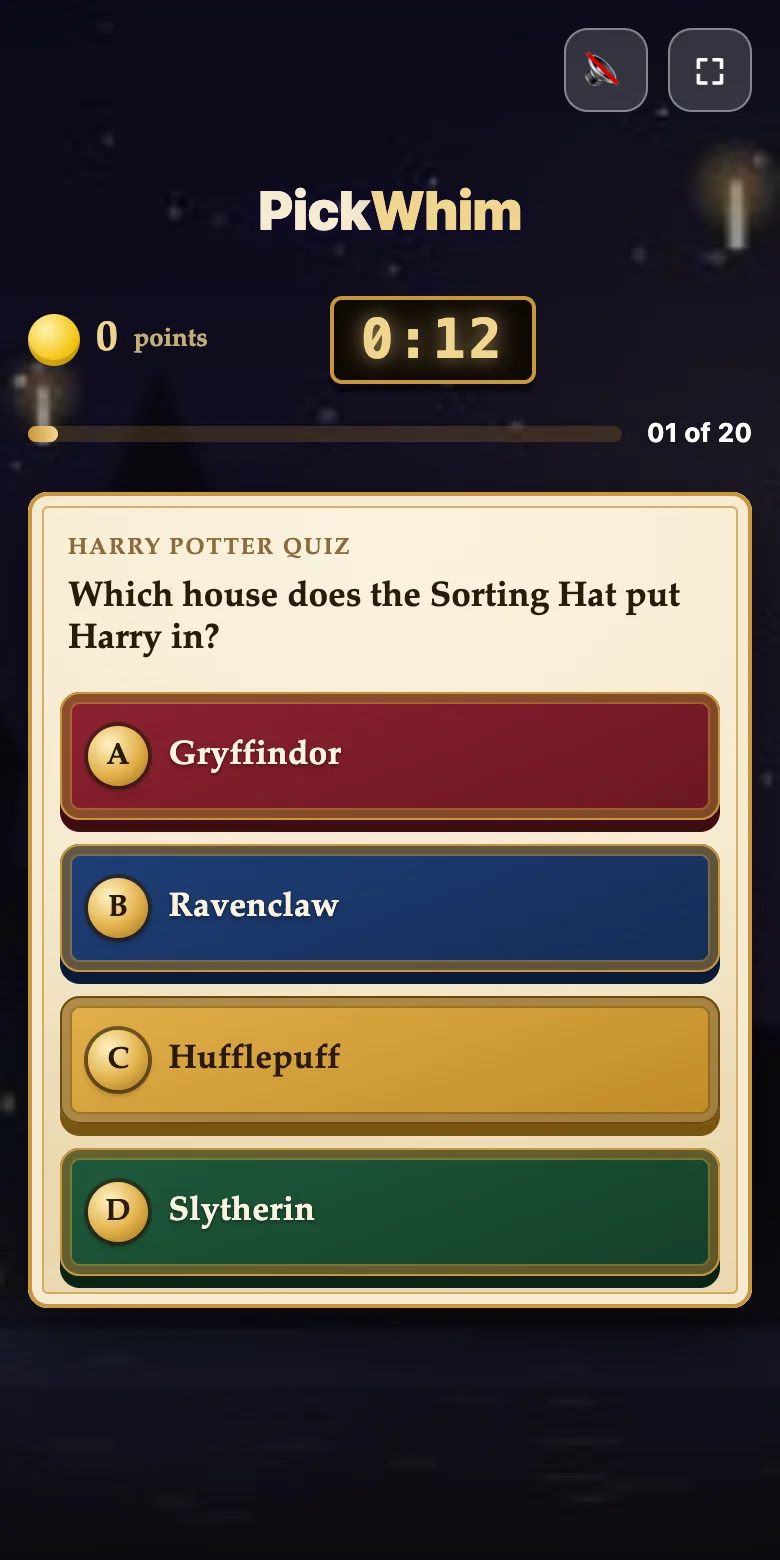
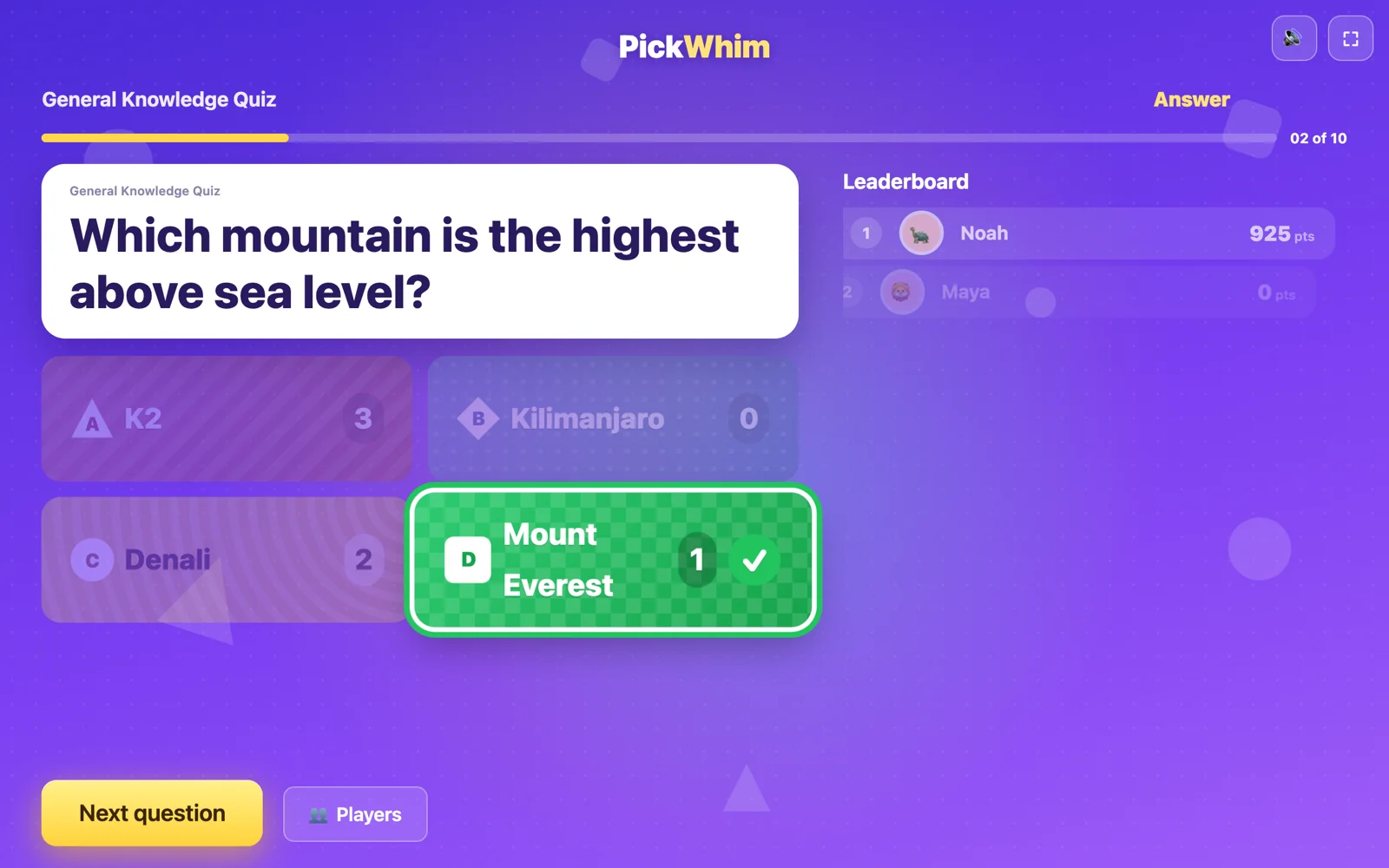
Each question appears on the big screen first, with a short "get ready" countdown so everyone reads it before the answers show. Then the four colored answers appear, the timer starts, and players tap their choice on their phone. Faster correct answers earn more points, and a streak bonus rewards players who are right several times in a row.
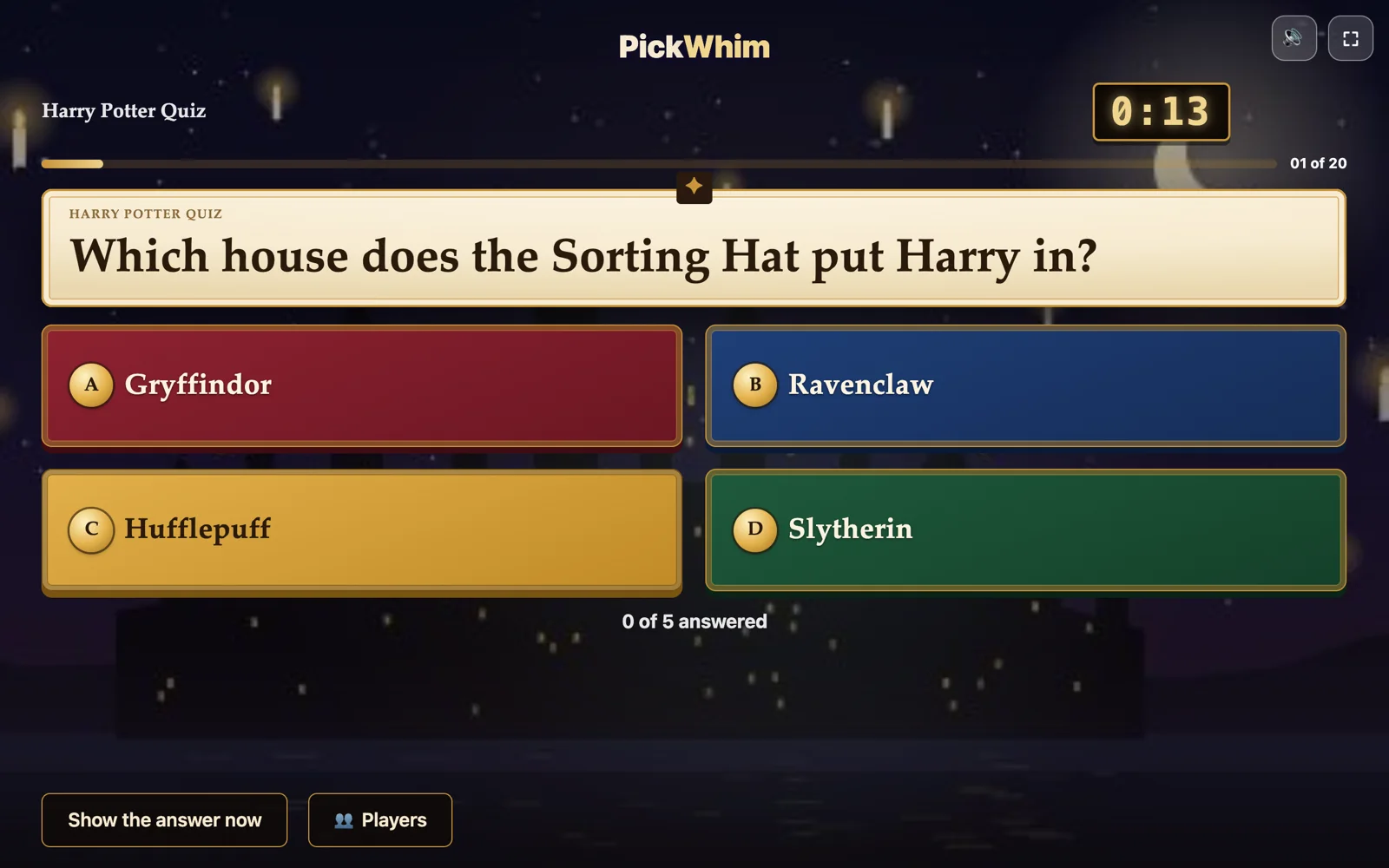
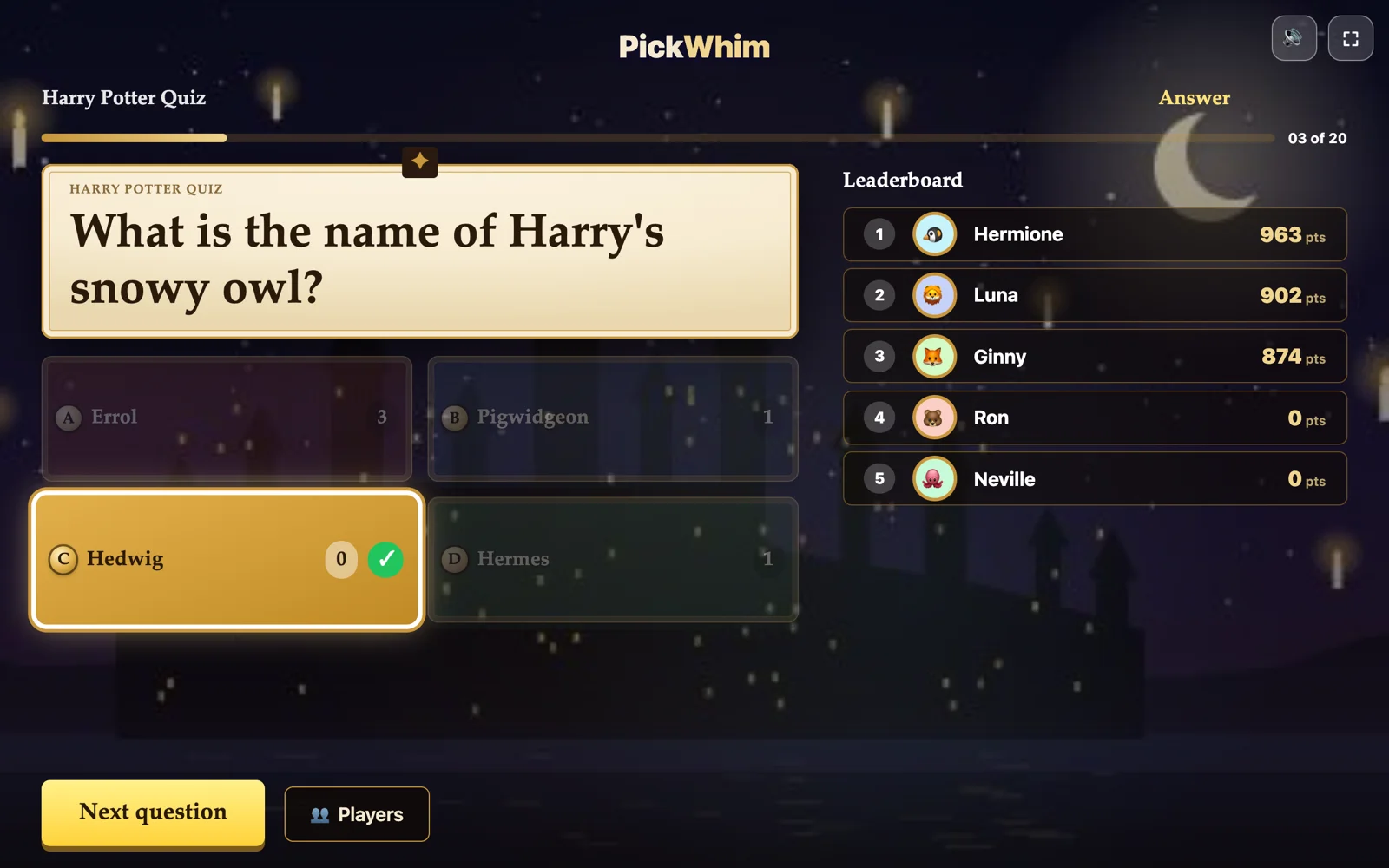
When the timer runs out, or when you press Show the answer now, the host screen reveals the right answer with a count of how many people picked each option, and the leaderboard updates next to it. Players see on their own phone whether they were right, how many points they earned and their current rank.
4. The podium, and a report for the teacher
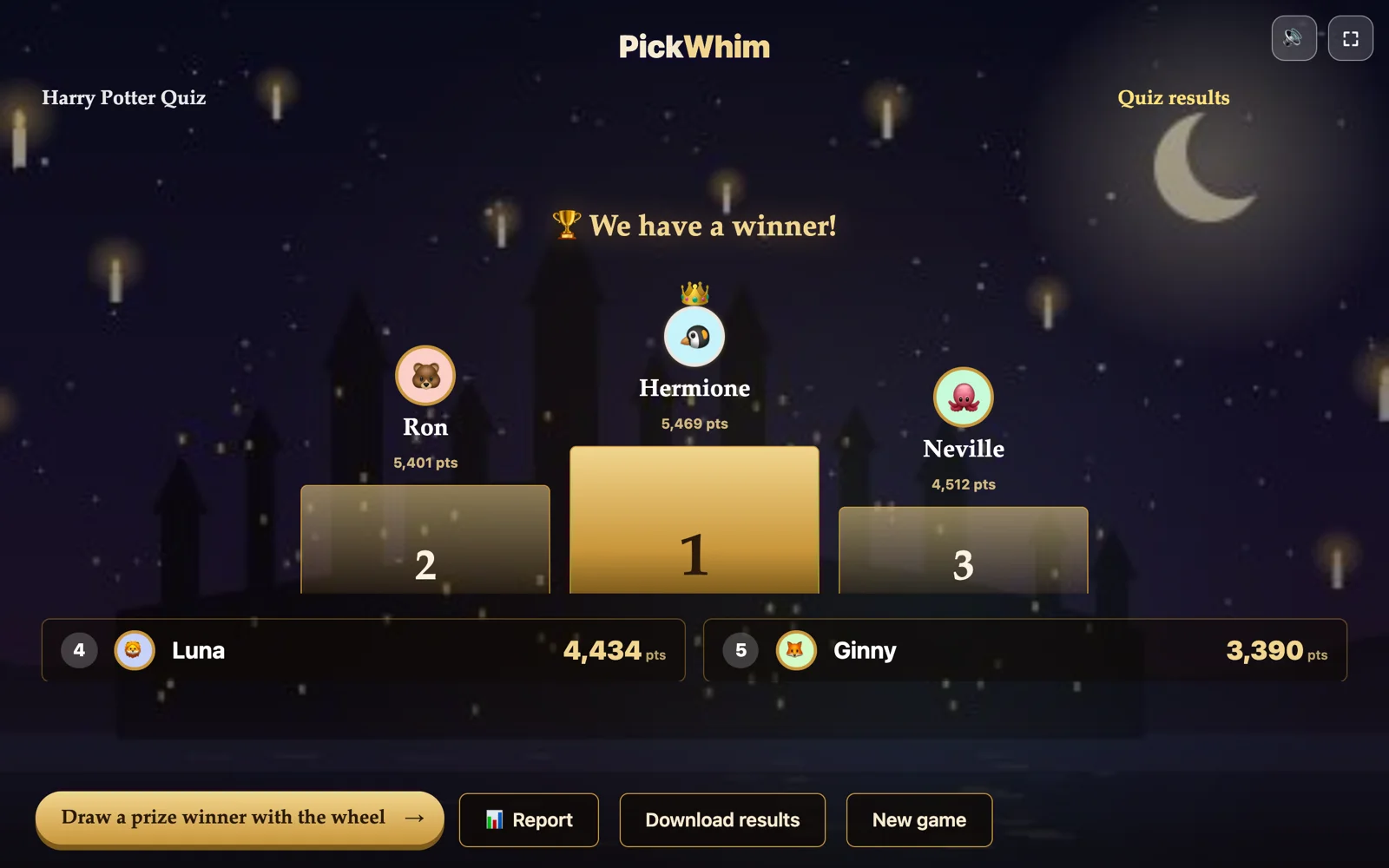
After the last question the three top players step onto a podium, with confetti and a drumroll if you have sound on. If you played in teams, the team podium shows first and the best individual players below it. From the final screen you can spin a wheel to draw a prize winner among all players, open the report, or play again.
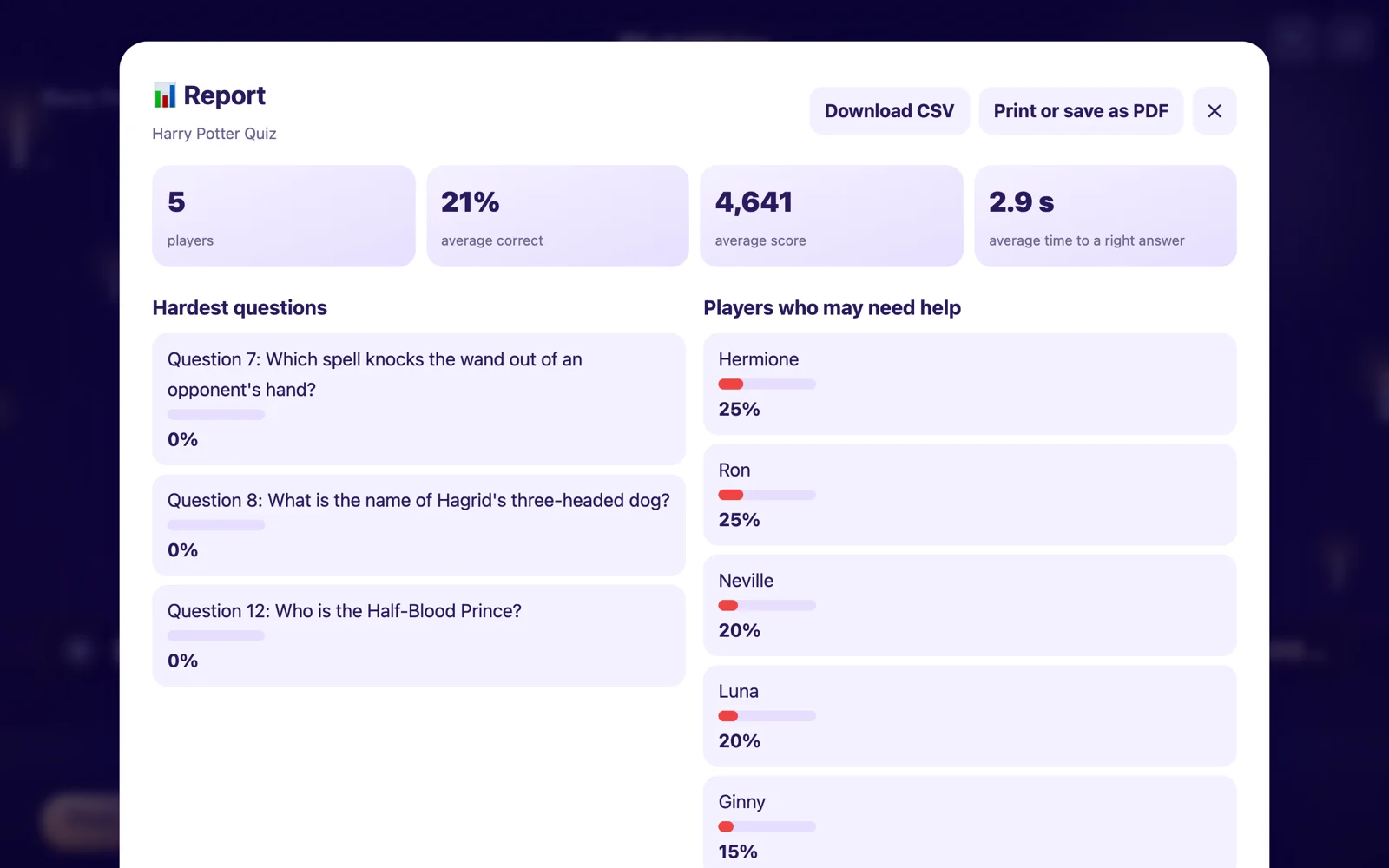
The report is the part teachers tend to like most. It lists the hardest questions, the players who struggled, and every answer from every player, and you can download it as a CSV file for your grade book.
Features you get for free
- Six question types: multiple choice, several right answers, true or false, typed answer, poll and number slider.
- Game modes: classic, teams (players are placed in teams automatically), knockout rounds where a wrong answer puts you out, and streak bonuses.
- Your look: your own logo on every screen, your own colors or a ready palette, and a background picture. Ready-made quizzes like the Harry Potter one come with their own theme.
- Sound and music that you can turn off with one click.
- Try it first: play your own quiz against four robot players before anyone else sees it.
- Homework mode: create a link and students play on their own time; you get the same report.
- Twitch chat as players: viewers answer by typing A, B, C or D in chat, no phone needed.
- Import and export: import from a spreadsheet or CSV, save quizzes in your browser, download them as files.
What it does not do (yet)
Honesty helps you choose. PickWhim does not have pictures or videos inside questions, there is no public library of millions of user-made quizzes, and there are no student accounts or class rosters. It is a quiz game, not a learning platform. If you need an LMS integration or grade sync, look at the school-focused tools below.
Walkthrough: hosting the Harry Potter quiz in one minute
To show how quick this is, here is the whole process for a themed quiz night, timed.
- 0:00 Open the Harry Potter Quiz page and press Host this quiz. The builder opens with all 20 questions loaded.
- 0:15 Optional: turn on four teams for a house competition, or remove the questions about the later books if you have younger players.
- 0:30 Press Start the game. The lobby appears with the code and QR code. Put it on the TV.
- 0:45 Players scan the code or go to pickwhim.com/play, type the code and a nickname.
- 1:00 Press Start the quiz. The first question is on the screen.
The quiz itself takes about eight minutes. At the end there is a podium, a wizarding rank for every score, and a report. No account was created at any point.
Other Kahoot alternatives worth knowing
PickWhim is not the only option, and for some jobs it is not the best one. Here is an honest look at the tools people most often move to. Plans and limits change often, so check each site before you commit to one for a whole semester.
Wayground (formerly Quizizz)
The closest thing to Kahoot! in spirit, with a huge library of teacher-made quizzes, student-paced mode and lots of question types. The host needs an account, and some features and the ad-free experience are paid. A strong pick for schools that want a library more than a game.
Blooket
Blooket wraps question sets in game modes such as tower defense and gold quest, which kids love. It is free to host with an account; the paid plan unlocks more modes and reports. Best for elementary and middle school review.
Gimkit
Gimkit's games have in-game currency and power-ups, and students answer questions repeatedly to earn it. The free plan is limited in how often you can host, and the full set of games is paid. Great engagement, more setup.
Baamboozle
A team game for one shared screen, with no student devices needed. Teams take turns picking a tile and answering. Free with an account, more game modes for paid users. Good for younger classes and rooms where phones are not allowed.
Quizlet Live
If your class already uses Quizlet flashcards, Quizlet Live turns a study set into a collaborative team game. Students join with a code; the teacher needs a Quizlet account. The matching-card format is better for vocabulary than for trivia.
Mentimeter, Slido and Wooclap
These are audience-engagement tools for meetings and lectures: polls, word clouds, Q&A and a quiz feature. They are polished and sober, with free plans limited by audience size or number of questions. Pick them if the quiz is one slide in a bigger presentation rather than the main event.
Side-by-side comparison
| Tool | Host account | Player account | Free plan | Best for |
|---|---|---|---|---|
| PickWhim Quiz | Not needed | Not needed | Everything, ad-supported, up to 300 players | Quick live quizzes anywhere: class, meeting, party, stream |
| Kahoot! | Required | Nickname only | Limited players and question types | Schools and companies with a license |
| Wayground (Quizizz) | Required | Nickname only | Generous, with paid extras | Teachers who want a big quiz library |
| Blooket | Required | Nickname only | Core game modes | Elementary and middle school review |
| Gimkit | Required | Nickname only | Limited hosting | Game-heavy classrooms |
| Baamboozle | Required | None (one screen) | Basic modes | Young classes without devices |
| Mentimeter / Slido | Required | None | Small audiences | Quizzes inside presentations |
Details are correct to the best of our knowledge at the time of writing and may change. Kahoot!, Wayground, Quizizz, Blooket, Gimkit, Baamboozle, Quizlet, Mentimeter, Slido and Wooclap are trademarks of their respective owners, and PickWhim is not affiliated with any of them.
Tips for a better live quiz, whatever tool you use
- Keep it to 10 to 20 questions. Energy drops after that. Run two short games rather than one long one.
- Mix the types. Put a poll or a typed answer every five questions so it is not only tapping colors.
- Use the "get ready" pause. Read the question out loud before the answers appear. It levels the field for slower readers.
- Show the right answer, then explain. The reveal screen with the vote counts is the best teaching moment in the game.
- Play in teams for big or shy groups. Teams take the pressure off individuals and still keep everyone answering.
- End with a prize draw. A podium rewards the best; a random wheel spin among all players rewards showing up.
- Test it first. Run the quiz once against the robot players, or with a colleague, so the typos are gone before the real game.
Frequently asked questions
What is the best free Kahoot alternative?
It depends on the job. For the fastest path to a live quiz with no account for anyone, PickWhim Quiz. For a large library of teacher-made quizzes, Wayground. For game modes that young students love, Blooket or Gimkit. For a quiz inside a presentation, Mentimeter or Slido.
Is there a Kahoot alternative with no sign-up at all?
Yes. PickWhim Quiz needs no account for the host or the players. You open the builder, write or load a quiz and start. Players join with a code and a nickname.
Can I import my Kahoot questions?
If you can get your questions into a spreadsheet with a column for the question, four answers and the right answer, you can paste the rows or upload a CSV file in the PickWhim quiz builder and the questions are filled in for you.
How many players can join a free game?
Up to 300 players can join one PickWhim game. Other tools cap free games at different numbers; check their current plans.
Do players need an app?
No. Players open pickwhim.com/play in any browser on a phone, tablet or laptop and enter the code.
Can I use it with students who are not in the room?
Yes. Create a homework link and students play at their own pace. You get the same report with every answer.
Can my Twitch viewers play?
Yes. Connect your channel and viewers answer by typing in chat. They do not need to open a separate page.
Is PickWhim affiliated with Kahoot?
No. Kahoot! is a trademark of Kahoot! AS. PickWhim is an independent quiz game and is not affiliated with or endorsed by Kahoot!.