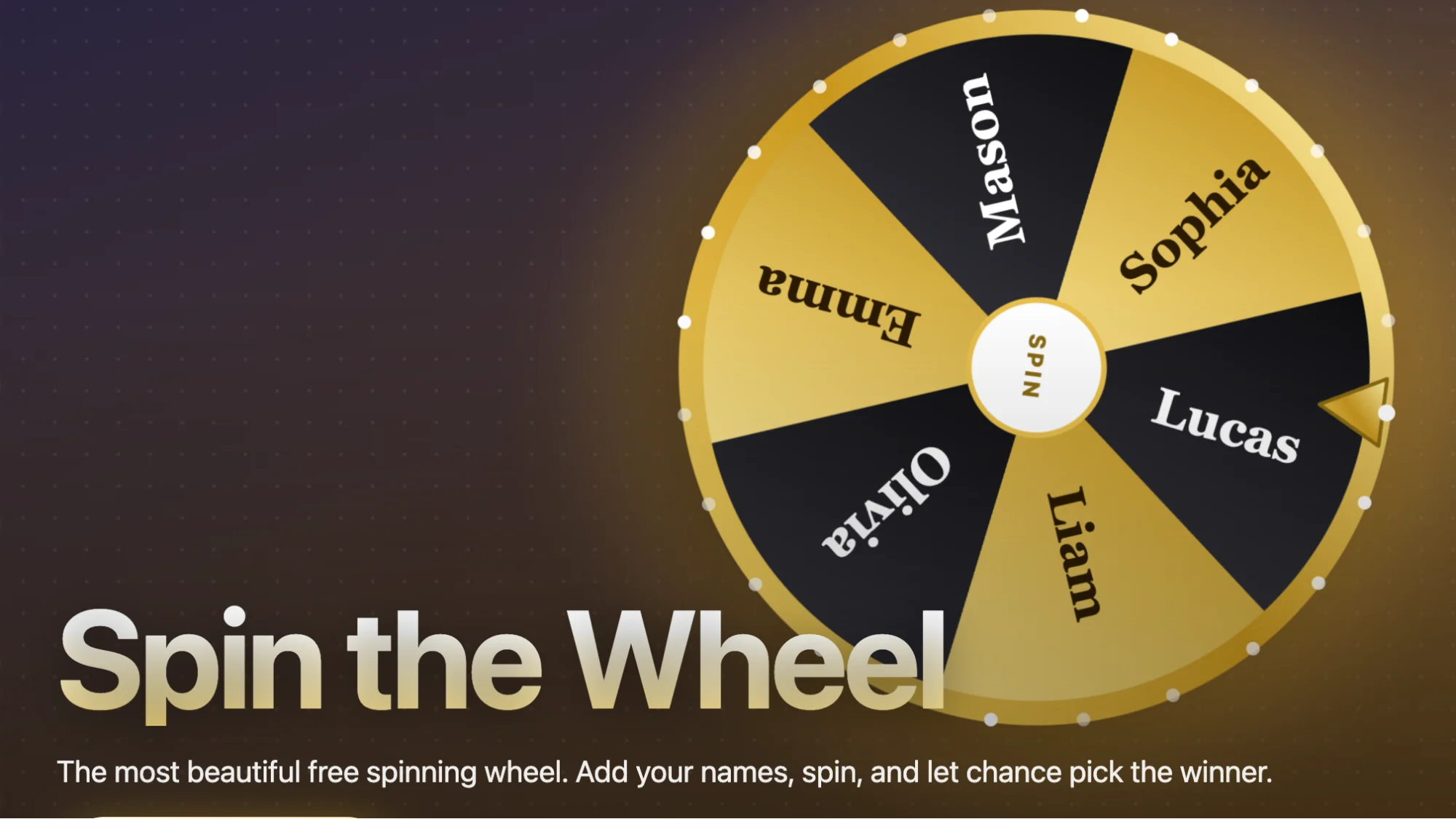
A spin the wheel is a random picker: you add a list of names, tasks or options, spin, and the wheel chooses one for you. People use it to pick students in class, select giveaway winners, assign chores, decide where to eat, run icebreakers and add suspense to live streams. It replaces arguments and bias with a visible, fair result in seconds.
Below are 25 practical ways to use a spin the wheel, grouped by situation. Every example works with the free PickWhim Spin the Wheel, which runs in your browser with no sign-up.
Spin the wheel ideas for the classroom
Teachers are the biggest users of random wheels, and for good reason: a wheel makes participation feel like a game instead of a judgment.
- Random student picker. Add your class list and spin to choose who answers next. Nobody can claim you always pick the same people.
- Group and partner assignment. Spin once per group slot, or load two wheels (names and groups) and pair the results.
- Review game. Put topics, vocabulary words or question categories on the wheel and spin before each round.
- Choosing the presenter order. Spin to decide who presents first. Removing the stress of volunteering keeps the lesson moving.
- Brain breaks. Fill the wheel with two-minute activities such as stretch, quick quiz or draw something, and let the class spin.
- Classroom jobs. Rotate line leader, board cleaner and plant waterer without anyone keeping score.
- Reward spins. Let a student who finished early spin for a small privilege. The wheel, not the teacher, hands out the reward.
Tip: remove a name after it has been picked so everyone gets a turn before anyone is chosen twice.
Spin the wheel ideas for work and teams
At work, a wheel solves the small decisions that eat meeting time.
- Who runs the standup? Spin each morning. It takes five seconds and nobody has to be asked.
- Retro and brainstorm order. Spin to decide who shares first so the loudest voice does not always set the tone.
- Icebreaker questions. Load 10 to 20 questions and spin one per person at the start of a remote meeting.
- Code review or ticket assignment. When several people can take a task, let the wheel pick and skip the negotiation.
- Office raffles. Spin for the parking spot, the conference ticket or the last slice of birthday cake, in front of everyone.
- Team-building games. Put challenge categories on the wheel and spin between rounds.
Because the result is visible to the whole team, a wheel also works well on a shared screen in Teams, Zoom or Google Meet.
Spin the wheel ideas for streamers, giveaways and events
On camera, the spin itself is content. The build-up and the stop are what viewers watch for.
- Giveaway winner picker. Paste entrant names or usernames and spin live. Viewers see the pick happen, which builds trust far better than a hidden draw.
- Viewer challenges. Let chat fill a wheel with dares, game modes or songs, then spin on stream.
- Donation and sub goals. Spin when a goal is hit to decide what happens next.
- Quiz night categories. Spin to pick the next round at a pub quiz or family quiz. Combine it with a ready-made quiz from PickWhim Quizzes.
- Raffles at fairs, clubs and schools. Project the wheel on a screen so the whole room sees the draw.
- Secret Santa and gift exchanges. Spin to assign who buys for whom, and remove each name as it is drawn.
Spin the wheel ideas for everyday decisions and family life
Most everyday decisions are not worth ten minutes of debate. A wheel ends them.
- Where to eat. Add your five usual restaurants and spin. The classic use for a reason.
- What to cook or watch. Fill a wheel with dinner ideas or films on your watchlist.
- Chore assignment. Spin for dishes, vacuuming and taking out the bins. Kids accept the wheel's verdict far more easily than a parent's.
- Workout picker. Put exercises or workout types on the wheel to break routine.
- Travel and weekend plans. Spin between day-trip destinations when everyone has a different favourite.
- Board game night. Spin to choose the game, then spin again for who goes first.
You can also use a wheel as a simple yes-or-no coin flip, or weight it with more copies of an option you prefer.
Why does a spin the wheel work so well?
Three reasons, and none of them is luck.
- It removes bias. When a person picks, people wonder why. When a wheel picks, the question disappears. PickWhim uses the browser's cryptographically secure random number generator, so every segment has an equal chance on every spin.
- It is visible. Everyone watches the same spin and the same stop. That transparency is why wheels beat hidden draws for giveaways and classroom picks.
- It adds a moment. The slowing wheel creates a few seconds of shared suspense. That small ritual turns a boring decision into something people enjoy.
The result: fewer arguments, faster decisions and higher engagement, whether the room holds 4 people or 4,000 viewers.
How to use the PickWhim spin the wheel
- Open pickwhim.com/spin-the-wheel. No account is needed.
- Type or paste your options, one per line. Names, tasks, restaurants, anything.
- Press spin. The wheel slows down and lands on one option.
- Remove the winner if you want everyone picked once, then spin again.
Your list is processed in your browser and never uploaded, which matters when the list is a class roster or customer names.
Frequently asked questions
Is a spin the wheel truly random? Yes, if the tool uses a proper random source. PickWhim draws every result from the browser's secure random number generator, so no segment is favoured.
Can I use a spin the wheel for a giveaway? Yes. Paste the entrants, spin live or record the spin, and share the result. Always check the giveaway rules of the platform you are running it on.
How many options can I put on a wheel? As many as you like, but 2 to 30 keeps the segments readable. For bigger lists, consider a Marble Race instead.
Is PickWhim's wheel free? Yes. It is free, ad-supported, and requires no sign-up or download.
Publishing notes (not part of the article body)
- Word count: article body is about 1,050 words (intro through FAQ).
- Schema markup: add Article schema plus FAQPage schema using the four FAQ questions above verbatim. This is the single biggest GEO lever: AI Overviews and ChatGPT-style answers lift directly from question-and-answer pairs.
- GEO structure already in place: the first paragraph gives a direct, quotable definition; headings are phrased as questions; each idea is a short, self-contained sentence an AI can cite.
- Internal links: /spin-the-wheel/ (3 times), /quizzes/, /marble-race/. Add a link back to this article from the Spin the Wheel page and the FAQ on the front page.
- Images: one screenshot of the wheel with a class list loaded, alt text "PickWhim spin the wheel with student names". Add an OG image for social sharing.
- Follow-up articles this one should link to later: random name picker for teachers, how to pick a giveaway winner fairly, icebreaker games for remote teams.
- Weakness to be aware of: "spin the wheel" is dominated by tool pages (Wheel of Names, Wordwall, Google's own wheel). This article will rank for the long-tail "uses" and "ideas" queries, not for the head term. Do not expect head-term traffic from it.